

Download Lightscreen Portable – Lightweight, Secure Screenshot Tool for Windows, Mac & USB
Looking for a fast, lightweight, and portable screenshot tool that works seamlessly across devices? Lightscreen Portable is the ideal solution for users who value speed, simplicity, and privacy. This free, no-installation software allows you to capture your screen in seconds—whether you're working on a Windows PC, Mac, or using a USB drive on the go.
With support for full-screen, window, and custom area captures, Lightscreen Portable gives you full control over your screenshots with minimal system impact. The app runs silently in the system tray and supports customizable hotkeys, auto-saving, and image format preferences. Best of all, it’s completely portable—perfect for students, remote workers, and tech enthusiasts who need a reliable screenshot tool that doesn’t require admin rights or leave traces behind.
Lightweight & Portable: The Perfect Tool for On-the-Go Users
Lightscreen Portable stands out in a crowded market of screenshot tools thanks to its minimal footprint and true portability. Unlike traditional software that requires installation and leaves behind registry entries or temporary files, this app runs directly from a USB drive, making it an excellent choice for users who frequently switch between computers. Whether you're using a public workstation, a school lab, or a friend’s laptop, you can carry your screenshot tool with you—no setup needed. The entire application is under 5MB, ensuring it loads instantly and uses negligible system resources. This lightweight nature makes it perfect for older machines or devices with limited RAM.
One of the biggest advantages of using a portable app like Lightscreen Portable is security and privacy. Since no data is stored on the host machine, you can capture sensitive information without worrying about logs or traces. This is especially useful for professionals handling confidential documents, educators creating lesson materials, or developers testing UI elements.
The app doesn’t require admin rights to run, so you can use it even on restricted systems. Additionally, all settings—including save location, image format, and hotkey configurations—are stored locally within the app folder, so your preferences travel with you. This level of portability and security is rare among free screenshot tools and makes Lightscreen Portable a must-have in any digital toolkit.
Installation is a breeze: simply extract the downloaded ZIP file to your USB drive or preferred folder, and double-click the executable. No setup wizard, no background services—just immediate access. Once launched, the app integrates smoothly with your system, running quietly in the system tray. You can activate it anytime with a hotkey or by right-clicking the tray icon. This seamless integration ensures that your workflow remains uninterrupted, whether you're writing reports, troubleshooting software, or creating content.
Powerful Features with Minimal Bloat
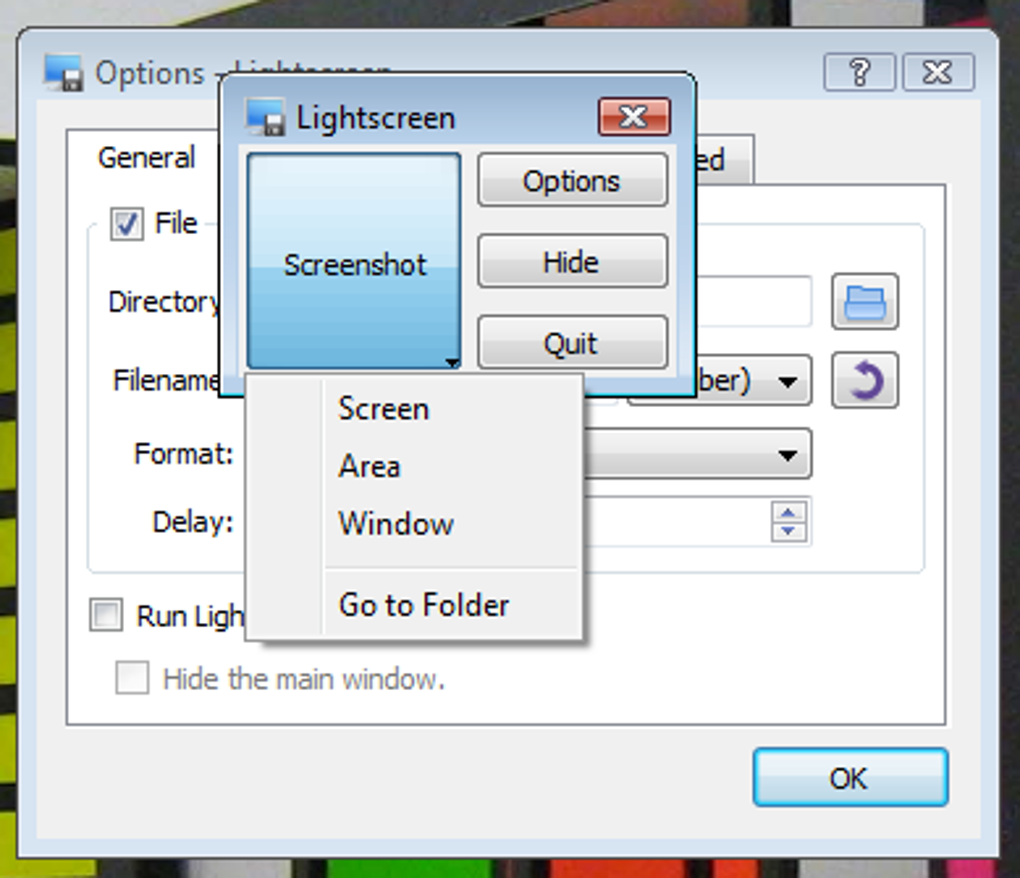
Lightscreen Portable may be small in size, but it packs a punch in functionality. The app offers three core capture modes: full-screen, window-specific, and custom area selection. Each mode is intuitive and responsive, allowing you to quickly snap a screenshot with just a few clicks or key presses. The customizable hotkeys make this even faster—assign shortcuts like Ctrl+Shift+S to capture the entire screen or Alt+Shift+A to select a custom region. This level of control is essential for power users who need speed and precision.
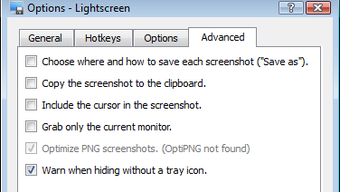
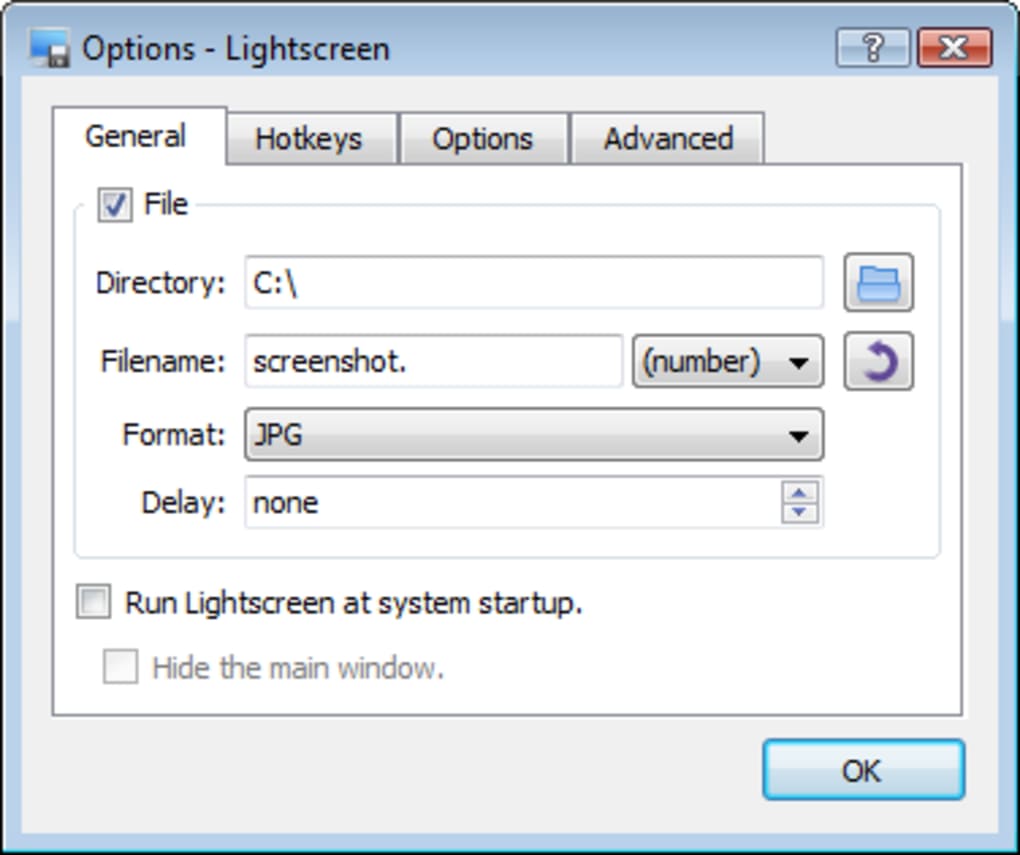
Under the Options menu, you’ll find a suite of settings that let you tailor the app to your workflow. Choose your preferred image format—PNG for transparency, JPG for smaller file sizes, or BMP for compatibility. Set a default save directory, and enable auto-naming with timestamps or sequential numbering to keep your files organized. You can also adjust image quality for JPGs, ensuring a balance between clarity and file size. These settings are saved locally, so they’re always available when you run the app from any device.
Despite its simplicity, Lightscreen Portable doesn’t compromise on reliability. It captures screenshots instantly, with no lag or crashes—even during high-performance tasks. The app supports high-DPI displays, ensuring crisp images on modern monitors.
While it lacks built-in editing tools, this intentional omission keeps the app lightweight and focused. For users who need to annotate or crop images, the tool integrates well with external editors like Paint, Photoshop, or free alternatives like GIMP. This modular approach ensures you’re not paying for features you don’t need.
Key Features (itemprop="featureList")
- Portable – Run from USB drive without installation
- Supports full-screen, window, and custom area captures
- Customizable hotkeys for instant screenshot access
- Save to user-defined directory with auto-naming options
- Choose between PNG, JPG, and BMP image formats
- Adjust JPG quality for optimal file size and clarity
- Runs silently in system tray with minimal resource usage
- High-DPI display support for modern monitors
- Settings saved locally for consistent experience across devices
Compatibility & Easy Setup for All Users
Lightscreen Portable is designed to work across a wide range of operating systems. It’s compatible with Windows 7 and later, including Windows 10 and Windows 11, and supports both 32-bit and 64-bit architectures. While it’s primarily built for Windows, users on Mac can run it via compatibility layers like Wine, though native support is not available. For Android and iOS users, there are no official versions, but similar functionality can be achieved through mobile screenshot tools or remote desktop apps.
Setting up Lightscreen Portable is straightforward and user-friendly. After extracting the files, launch the executable and go to Options to configure your preferences. You can set the default save folder, choose image format, enable auto-naming, and assign custom hotkeys.
The interface is clean and minimal, with no confusing menus or excessive options. Even first-time users can get up and running in under a minute. The app also supports drag-and-drop functionality—simply drag an image into the app window to view or save it.
One of the standout features is the ability to update the software manually. Since it’s portable, there’s no built-in auto-update system. However, you can download the latest version from the official site and replace the old files—ensuring you always have the most secure and efficient version. This manual update process gives users full control over when and how updates are applied, which is ideal for environments with strict security policies.
Pros and Cons: Is Lightscreen Portable Right for You?
Pros
- Extremely lightweight and fast to launch
- Perfect for use on USB drives and public computers
- No installation or admin rights required
- Customizable hotkeys and save settings
- High-quality screenshots with multiple format options
- Runs in the background without distracting the user
- Secure—no data left behind on host machines
Cons
- Lacks built-in image editing tools
- No native support for Mac, iOS, or Android
- Manual updates required (no auto-update)
- Interface is minimal—may feel too basic for some users
- Doesn’t support advanced features like screen recording or annotations
Frequently Asked Questions (FAQ)
Is Lightscreen Portable free to download and use?
Yes, Lightscreen Portable is completely free to download and use. There are no hidden fees, subscriptions, or watermarks. The software is open for personal and professional use without restrictions.
Can I run Lightscreen Portable from a USB drive?
Absolutely. That’s one of its main advantages. Simply extract the files to your USB drive and run the executable from any Windows PC. Your settings and preferences will be preserved, making it ideal for portable workflows.
Does Lightscreen Portable support Mac or mobile devices?
Lightscreen Portable is designed for Windows only. While it can be run on Mac using compatibility tools like Wine, there is no official native version for macOS, iOS, or Android.
Can I edit screenshots directly in Lightscreen Portable?
No, Lightscreen Portable does not include an image editor. However, it saves files in standard formats (PNG, JPG, BMP), which can be opened and edited in any image editing software like Paint, GIMP, or Photoshop.
How do I update Lightscreen Portable?
Since it’s portable, there’s no auto-update feature. To update, download the latest version from the official website and replace the old files in your folder. This gives you full control over when updates are applied.
Final Verdict: A Must-Have for Minimalist Screenshot Needs
If you’re searching for a secure, fast, and truly portable screenshot tool, Lightscreen Portable delivers exactly what it promises: simplicity without compromise. It’s perfect for students, remote workers, IT professionals, and anyone who needs to capture screens quickly without clutter or overhead. While it doesn’t offer advanced editing or recording features, its core functionality is flawless and reliable.
With its lightweight design, USB portability, and customizable settings, Lightscreen Portable stands out in a sea of bloated screenshot apps. It’s a smart choice for users who value privacy, speed, and minimalism. Whether you're documenting software bugs, creating tutorials, or saving important web content, this tool gets the job done efficiently.
Download Lightscreen Portable today and experience a no-nonsense screenshot solution that works wherever you go—on Windows, on USB, and without a trace.







